Research Enablement Program
How Might We Scale Research Without Sacrificing Quality?
The challenge wasn’t just capacity but also culture. Driving research enablement required a cultural shift toward iterative development where research is viewed as a foundational pillar rather than an afterthought. Many designers lacked confidence owning research and relied on researchers. Product managers either ran unguided studies that risked misleading results, or waited in a long queue for the research team. Both created problems: delayed decisions or poorly grounded ones.
I designed a research enablement program to equip cross-functional partners to lead simple, well-scoped studies—reserving the research team for work that required deeper expertise. I drafted a research plan template for designers and started identifying research requests in the queue where the requester could lead the study with coaching. Then I built the materials and infrastructure to make that scalable with my team.
| My Role | Initiated, built, and later led a 3-researcher team to sustain key enablement programs and processes |
|---|---|
| Timeline | 3 years (2022–2025) |
| Methods | Literature reviews, Iterative design & pilot testing, Stakeholder interviews & focus groups, Design-thinking workshops |
| Deliverables |
|
| Tools Used | Miro, Microsoft Office, EndNote, Slack, Zoom |
| Company | Sam’s Club |
|---|---|
| Teams | Research, Product, Design |
| Outcomes |
70+ studies completed by non-researchers with coaching and support
Store-associate interview training in 2 offices
Research templates, usability scale questionnaire, and pulse-survey templates published
Research office hours launched; Slack research-help channel established
|
Building a Culture of Distributed Research
Starter Research Kit & Coaching Program
I built a step-by-step research template for lightweight research. I also hosted training sessions with UserZoom on studies like unmoderated usability testing, proof-of-concept testing, and diary study. The training recordings were shared on SharePoint. I piloted the kit with several designers, guiding them through their studies and iterating based on their feedback.
I launched the research kit, which consisted of research plan and debrief templates, to the UX team, handling all coaching myself. I found that after about five studies with support, designers became confident running simple research independently. As demand grew, I trained one fellow researcher at a time who had bandwidth and interest in coaching to scale support across the product org. We also expanded the program to product managers and created additional resources for their needs.
The five-study coaching model emerged from watching where designers actually got stuck. Those new to leading a study needed support throughout the study, including scoping research objectives, writing questions to ask participants, setting up a study on the UserZoom platform, interpreting results in context, and writing a debrief. Once those skills were developed, they could run simple studies with minimal check-ins. Early designer participants later helped other designers new to the program troubleshoot Figma-related technical issues during studies.

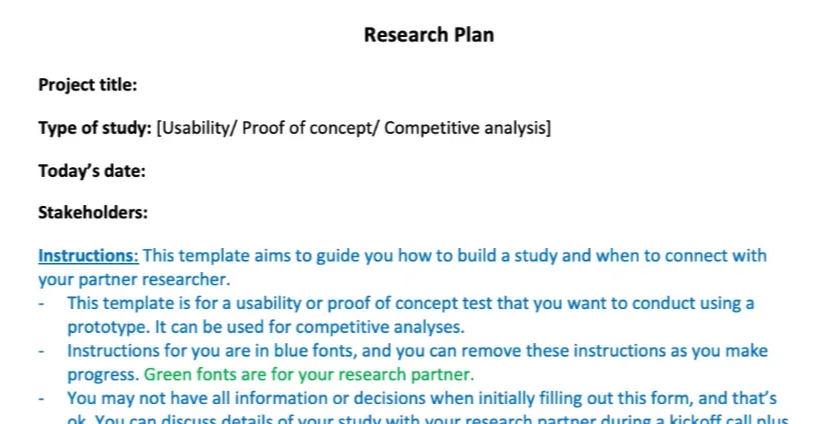
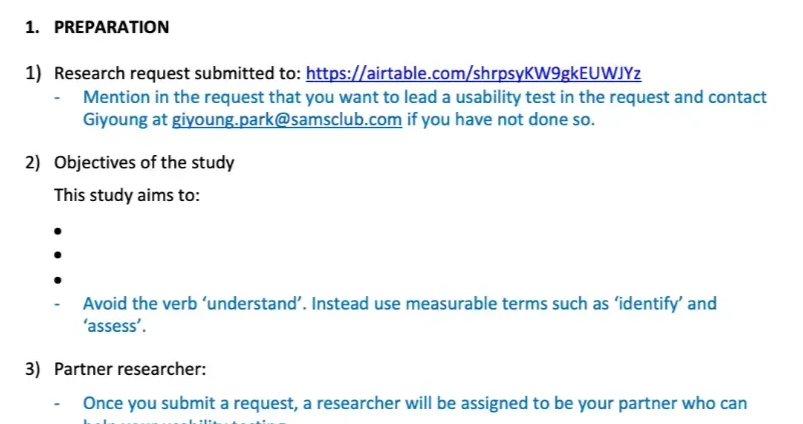
Final research plan template with instructions for usability, proof-of-concept, and competitive analysis studies
Usability Scale Template & Guidelines
Researchers and cross-functional teams often wanted to include a usability scale in their studies; yet they were not sure which one to use or how to interpret the data. I co-created usability scale guidelines with a PhD researcher to address this. We included a section on sample size: with a small sample, qualitative feedback is more reliable than quantitative data because the quantitative data is difficult to represent the broader user population.
Excerpt from the co-created guidelines document:
Usability Scale Template & Guidelines
We recommend this simplified industry-standard satisfaction scale, UX-Lite (Lewis & Sauro, 2021) to measure user satisfaction with your product, along with an open-ended question to gain additional insights. The UX-Lite scale is a shortened version of the 10-item scale, SUS (system usability scale), and its scores are compatible with SUS scores.
- [This product] is easy to use.
- [This product’s] features meet my needs.
- Please share additional feedback if you have any.
The first two questions (UX-Lite) are to use a 5-point scale (e.g., 1 = 'strongly disagree' to 5 = 'strongly agree'), and the scores range from 0 to 100.
Sample size: There is no absolute minimum sample size. The bottom line is to get 400+ when you can to ensure reasonable statistical power. If you have a small sample (less than 30 per survey), rely on qualitative feedback instead; the scores may not be meaningful, but you can still get plenty of useful insights.
Score interpretation & statistical analyses: …
Pulse Survey Template
A product manager (PM) asked for a short, reusable survey template to capture quarterly feedback from corporate associates, not tool-specific, but role-specific. The PM and I co-created a brief pulse-survey template that became available for other product teams.
Research Office Hours & a Research-Help Chat
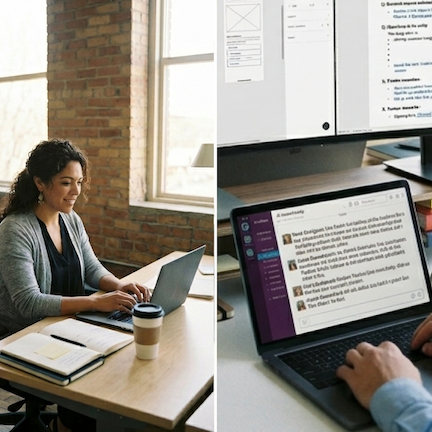
Cross-functional teams at Sam’s Club did not have a dedicated researcher, so they lacked a central point of contact for research queries. I launched biweekly office hours and created a Slack channel where anyone could ask questions and get feedback from a researcher. I managed both myself for a few months to gauge interest before scaling. All researchers then volunteered to take turns facilitating office hours and responding to questions in the help channel. These open spaces helped foster a culture of curiosity and learning, and design leads started having their new hires drop into office hours to learn about our resources.
Live Training Sessions

Teams would often go to the stores and interview associates on their own, but many lacked confidence in their interview skills. I led hands-on training sessions at the headquarters and the Dallas office to teach teams how to run effective interviews while protecting participant privacy. I found that role-playing exercises boosted participants' confidence. I facilitated three sessions, and one of my team members based in home office took the training program over from me to offer it regularly at our design studio.
Broader Reach, Faster Decisions
Distributing research capability across the org reduced bottlenecks, raised quality, and sped up decision-making:
- Over 70 logged studies completed by non-researchers with coaching and support
- Templates and guides ensured studies were consistent and high-quality
- Training participants reported increased confidence; several went directly from the session to a store visit and made a key product decision based on what they heard
- Research enablement introduced at the inaugural Re:imagine Retail conference to increase awareness
Expanding the Programs
We ran several focus groups with designers, PMs, and researchers to identify opportunities for expansion:
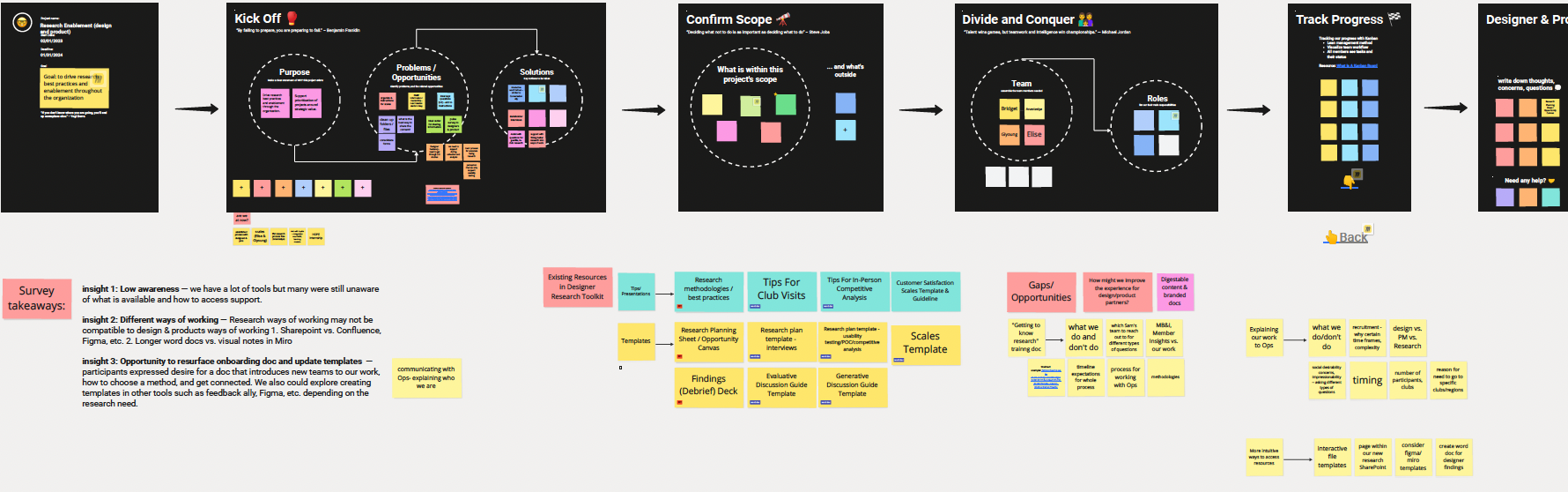
Focus group board surfacing next opportunities: visibility, live training, and multi-format resources for designers and PMs
From Reluctance to Routine
This initiative aimed to change the organization culture from having research dedicated to researchers to empowering cross-functional team members to conduct lightweight research. Some of the partners I initially reached out to were hesitant. Some wanted to know how much support they would receive throughout the study; others did not want to take on additional work or risk. Many of them became willing to lead a study once they knew more about the process. At the same time, some colleagues heard that peers had completed a study with my support and reached out on their own. Soon, participating designers incorporated iterative testing into their work and ran multiple rounds of usability or proof-of-concept testing; in those cases, I waived the re-request requirement and kept coaching them through launch.
One thing I underestimated was how effective hands-on training sessions could be. They boosted participants' knowledge and confidence far more than templates alone or a lecture on how to conduct a study. If I were to start again, I would prioritize training sessions earlier—teaching participants how to frame questions and reach for the right resources, rather than handing them a folder of resources.